Nursing Care, Inpatient Operations & eMAR
The Nursing Care & Inpatient Operations module in MOANA serves as the primary bedside clinical environment for ward nurses, nurse unit managers, and critical care staff. It unites inpatient census tracking, batch vitals recording with automated early warning scoring (NEWS2), electronic Medication Administration Records (eMAR), bedside blood transfusion monitoring, surgical theatre preparation checklists, and structured SBAR shift handovers.
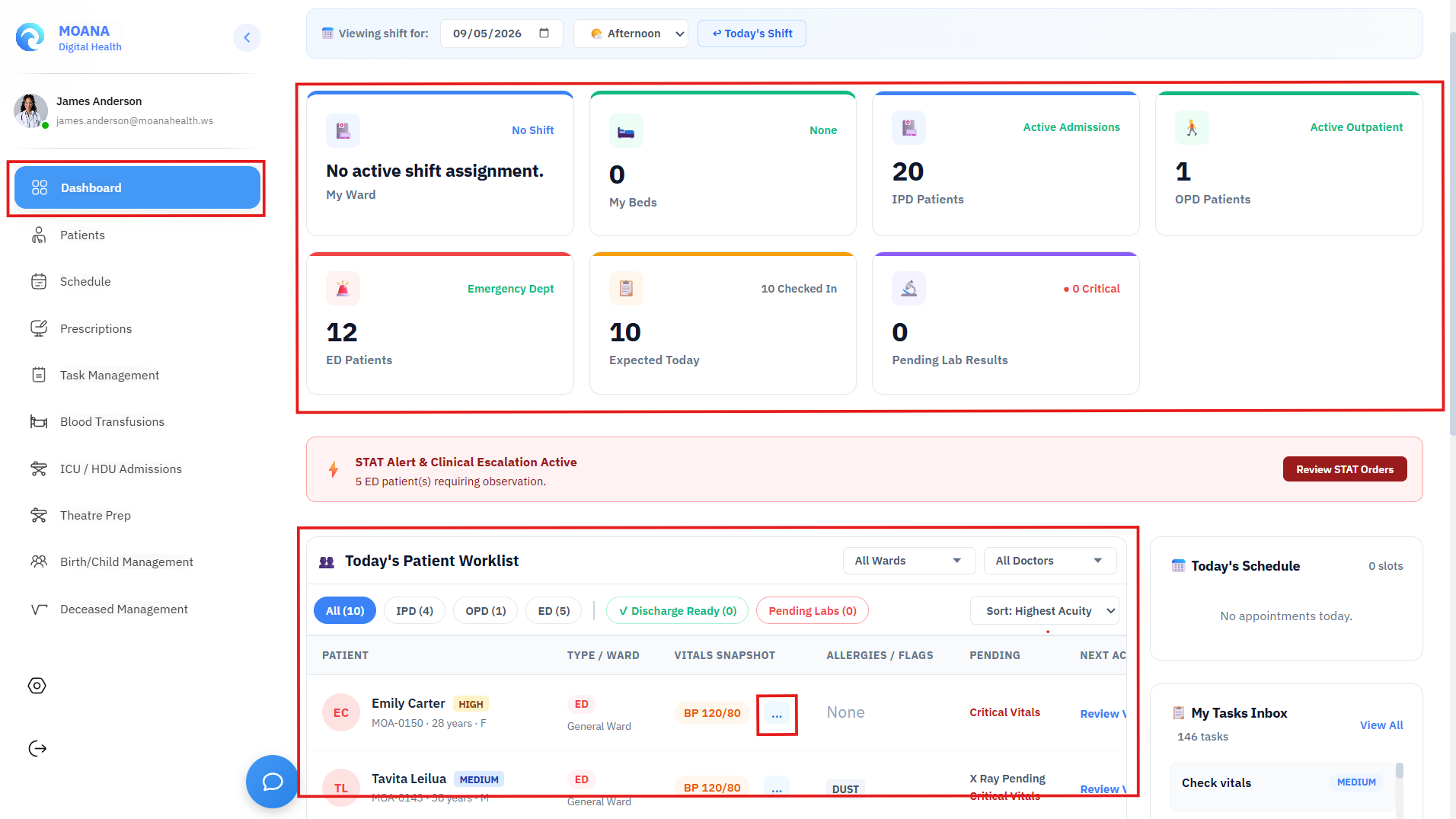
1. Ward Census & Bedside Inpatient Operations
Upon logging in, ward nurses view their active assigned ward (e.g., Surgical Ward 3A, Medical ICU, Pediatric Ward):
- Bedside Census Overview: Visual matrix of all occupied, available, reserved, and cleaning beds.
- Patient Clinical Status: Key diagnostic tags (e.g., NPO, Fall Risk, Contact Precautions, High Oxygen Demand).
- Nurse-to-Patient Ratio Panel: Displays assigned nurse coverage per bed to ensure balanced clinical workloads.
2. Vital Signs, NEWS2 Scoring & Clinical Deterioration
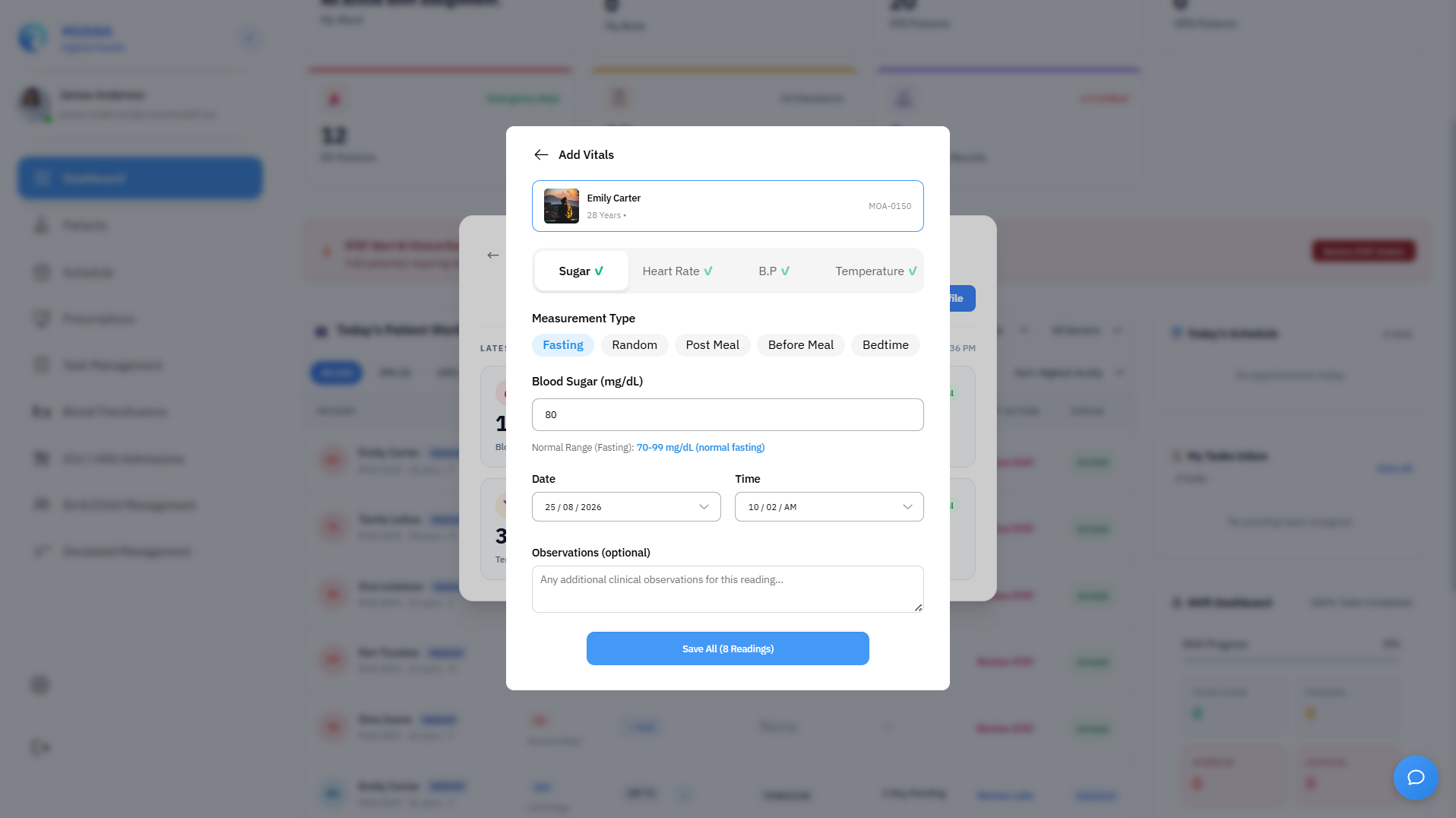
The Batch Vitals Rounding Grid
During ward rounding hours, nurses use the Batch Vitals Grid to document observations for all ward patients in a single rapid screen:
- Record baseline parameters:
- Heart Rate (bpm)
- Systolic & Diastolic Blood Pressure (mmHg)
- Oxygen Saturation (SpO2 %) & Supplemental Oxygen Flow (L/min)
- Body Temperature (°C)
- Respiratory Rate (breaths/min)
- Assess Level of Consciousness using the AVPU Scale:
A— AlertV— Responds to VoiceP— Responds to PainU— Unresponsive
- Automated National Early Warning Score 2 (NEWS2):
- The system automatically computes aggregate NEWS2 scores across all 6 physiological parameters.
graph TD
    A[Vitals Recorded] --> B{Aggregate NEWS2 Score}
    B -->|Score 0 - 2| C[🟢 Low Risk: Standard 12-hr Rounding]
    B -->|Score 3 - 4| D[🟡 Low-Medium Risk: Increase to 4-6 hr Rounding]
    B -->|Score 5 - 6| E[🟠 Medium Risk: Urgent Ward Review within 1 hr]
    B -->|Score ≥ 7| F[🔴 Critical High Risk: STAT Medical Alert!]

    F --> G[Immediate Rapid Response Team / Attending Doctor Notification]
:::caution Patient Safety Checkpoint: STAT Deterioration Alert (NEWS2 ≥ 7) When a patient's aggregate NEWS2 score reaches 7 or higher:
- MOANA instantly fires a STAT-Priority Alert simultaneously to the ward nurse's station and the attending physician's device.
- Attend to the patient immediately, initiate high-flow oxygen/IV access if indicated, and phone the attending doctor.
- Formally acknowledge the alert in MOANA and document all clinical interventions with timestamps. :::
3. Electronic Medication Administration Record (eMAR)
The eMAR module enforces closed-loop medication safety at the patient's bedside:
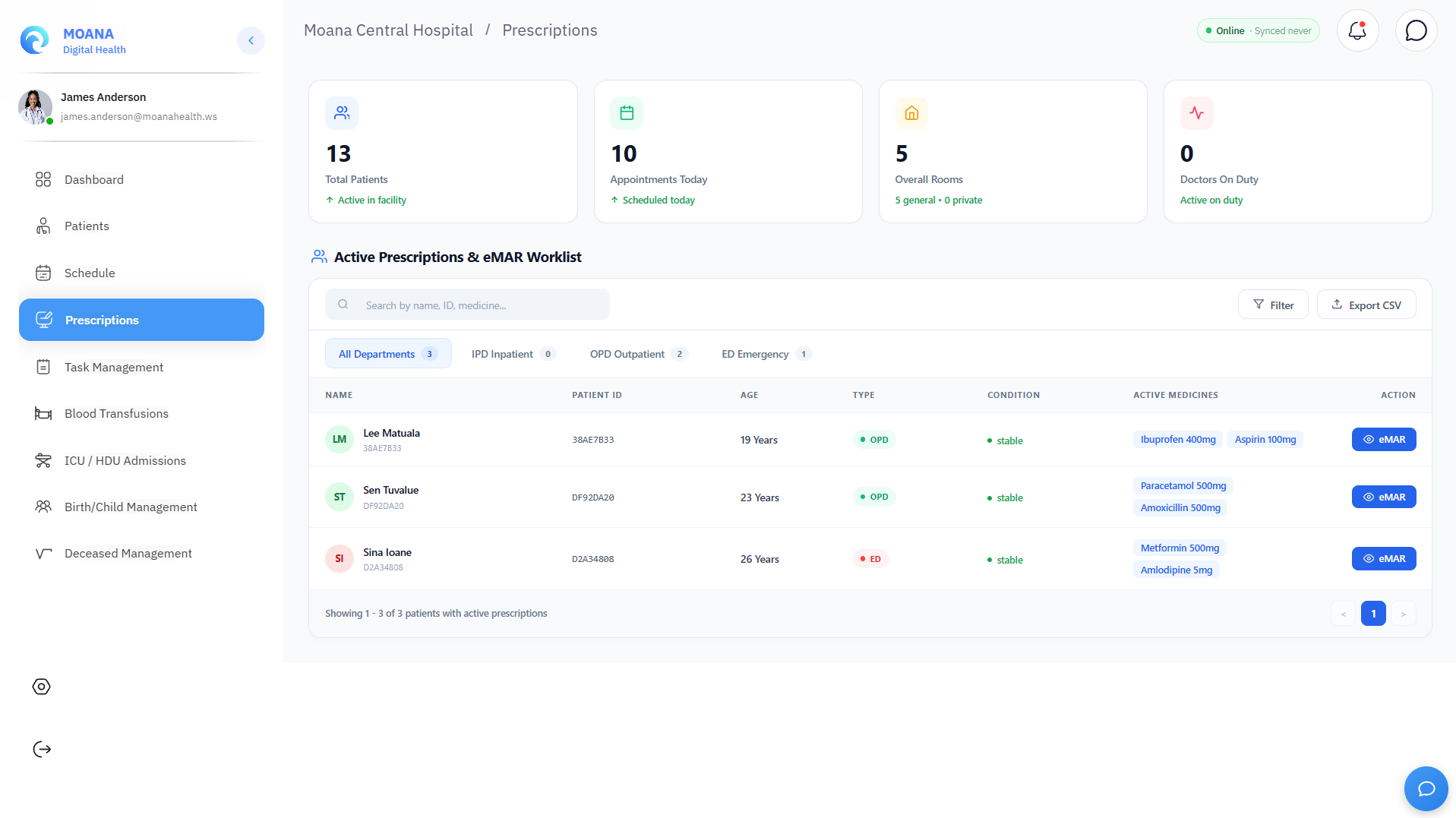
The Bedside "Five Rights" Safety Verification:
Before administering any dose, the nurse validates the Five Rights against the patient's digital chart:
- RIGHT PATIENT: Scan patient wristband barcode or verify MOANA Health ID.
- RIGHT MEDICATION: Verify package label against the prescribed drug name.
- RIGHT DOSE: Check dosage strength and calculated liquid volumes.
- RIGHT ROUTE: Confirm oral, IV infusion, IM injection, SC, or topical application.
- RIGHT TIME: Confirm the scheduled time slot on the eMAR grid.
Documenting Medication Administration:
- Given: Click "Given" to record successful administration. The system logs the nurse's digital signature and exact timestamp.
- Held: Click "Held" if clinically contraindicated. A mandatory reason must be selected (e.g., Hypotension BP < 90, Bradycardia HR < 50, Patient NPO for Surgery, Patient Vomiting).
- Missed: Click "Missed" if the dose was omitted. A mandatory reason must be selected (e.g., Patient Refused, Off-Ward for Radiology/OT, IV Cannula Blocked, Medication Temporarily Unavailable).
:::important Enforced eMAR Safety Gate To prevent bypass of medication safety checks, medication-linked nursing tasks cannot be marked as completed from the general task board. They strictly require administration through the dedicated eMAR endpoint. :::
4. Pre-Operative Surgical Theatre Preparation Checklist
Before transferring an inpatient to the Operating Theatre suite, the ward nurse completes the standardized Pre-Op Theatre Prep Checklist:
- Patient Identification & Consent: Verify signed informed surgical consent on file.
- NPO (Fasting) Status: Document duration of solid food and clear liquid fasting.
- Surgical Site Marking: Confirm the lead surgeon has verified and marked the surgical site.
- Diagnostic & Blood Crossmatch Verification: Confirm Blood Bank crossmatched units are on reserve and pre-op ECG/Chest X-Ray are attached.
- Pre-Medication Administration: Record administration of ordered pre-op antibiotics, anxiolytics, or anti-emetics.
- Valuables & Prosthetics: Remove dentures, contact lenses, jewelry, and prosthetic appliances.
5. Blood Issue Tracker & Bedside Transfusion Monitoring
When administering blood components (PRBC, FFP, Platelets, Cryoprecipitate):
- Receipt & Two-Nurse Verification: Two registered nurses independently verify the patient wristband, unit barcode, ABO/Rh group compatibility slip, and expiry date.
- Pre-Transfusion Baseline Vitals: Record baseline BP, HR, Temp, and Respiratory Rate immediately prior to starting infusion.
- 15-Minute Critical Observation: Record vital signs exactly 15 minutes after commencing blood flow to screen for acute hemolytic or anaphylactic transfusion reactions.
- Hourly & Post-Transfusion Vitals: Monitor vitals every hour until completion, then log total volume transfused and empty unit disposition.
6. AI-Assisted SBAR Shift Handover
At the conclusion of each nursing shift (e.g., Morning, Evening, Night), nurses complete structured clinical handovers using the SBAR Framework (Situation, Background, Assessment, Recommendation):
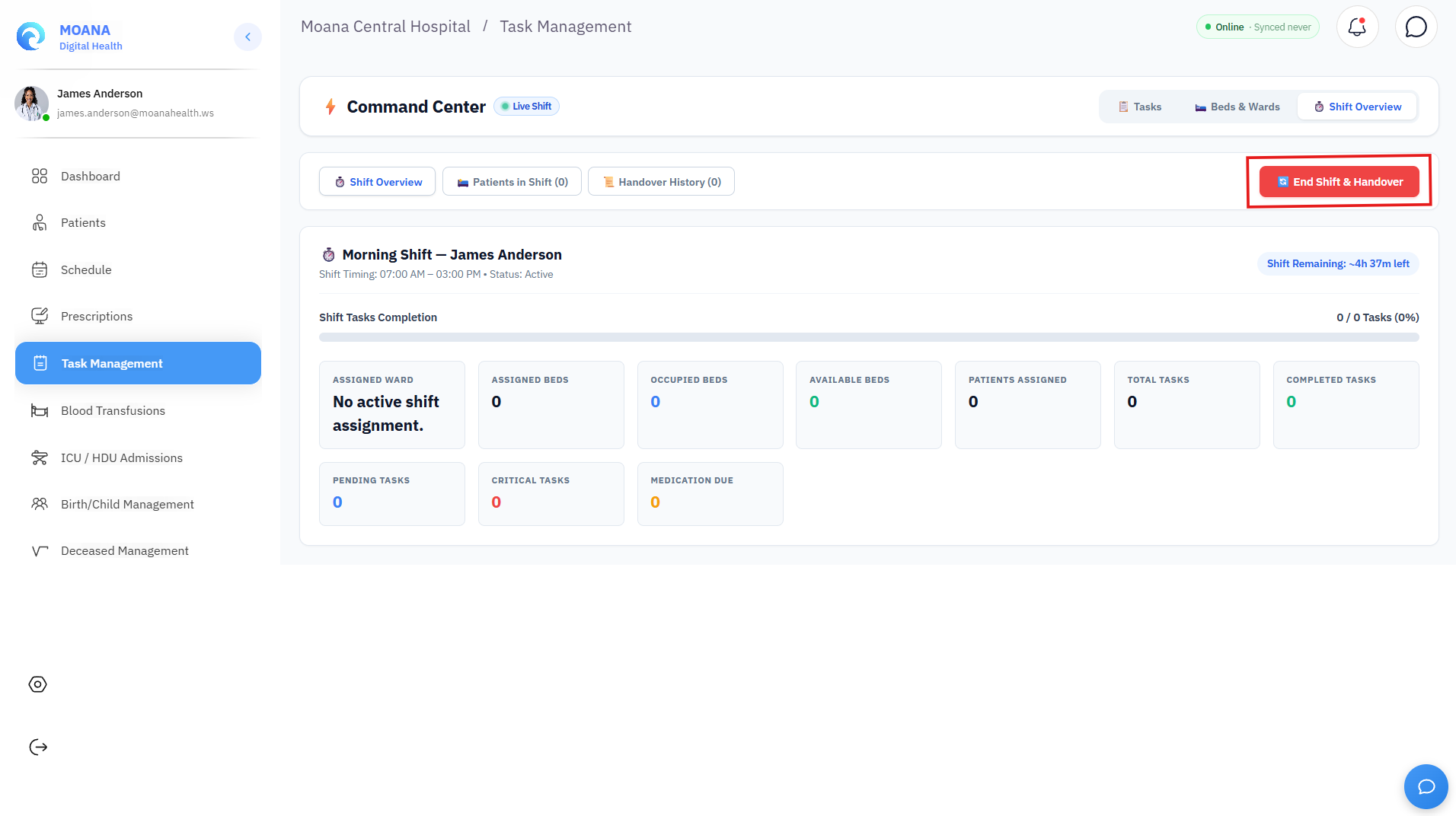
- AI-Assisted Summary Generation: The system automatically drafts the baseline SBAR content by aggregating latest NEWS2 trends, pending laboratory results, unadministered doses, and open nursing tasks.
- Nurse Review & Clinical Edits: The outgoing nurse reviews the draft, adds qualitative notes (e.g., family counseling notes, post-op drainage volume, planned weaning), and confirms accuracy.
- Official End-of-Shift Sign-Off: Click "End Shift & Handover" to permanently commit the handover to the clinical audit trail and transfer responsibility to the incoming shift roster.