Radiology & Diagnostic Imaging (PACS)
The Radiology & Diagnostic Imaging module in MOANA integrates modality worklists, DICOM picture archiving and communication systems (PACS), interactive image viewing, structured radiological report authoring, and urgent critical finding notifications into a seamless clinical workflow.
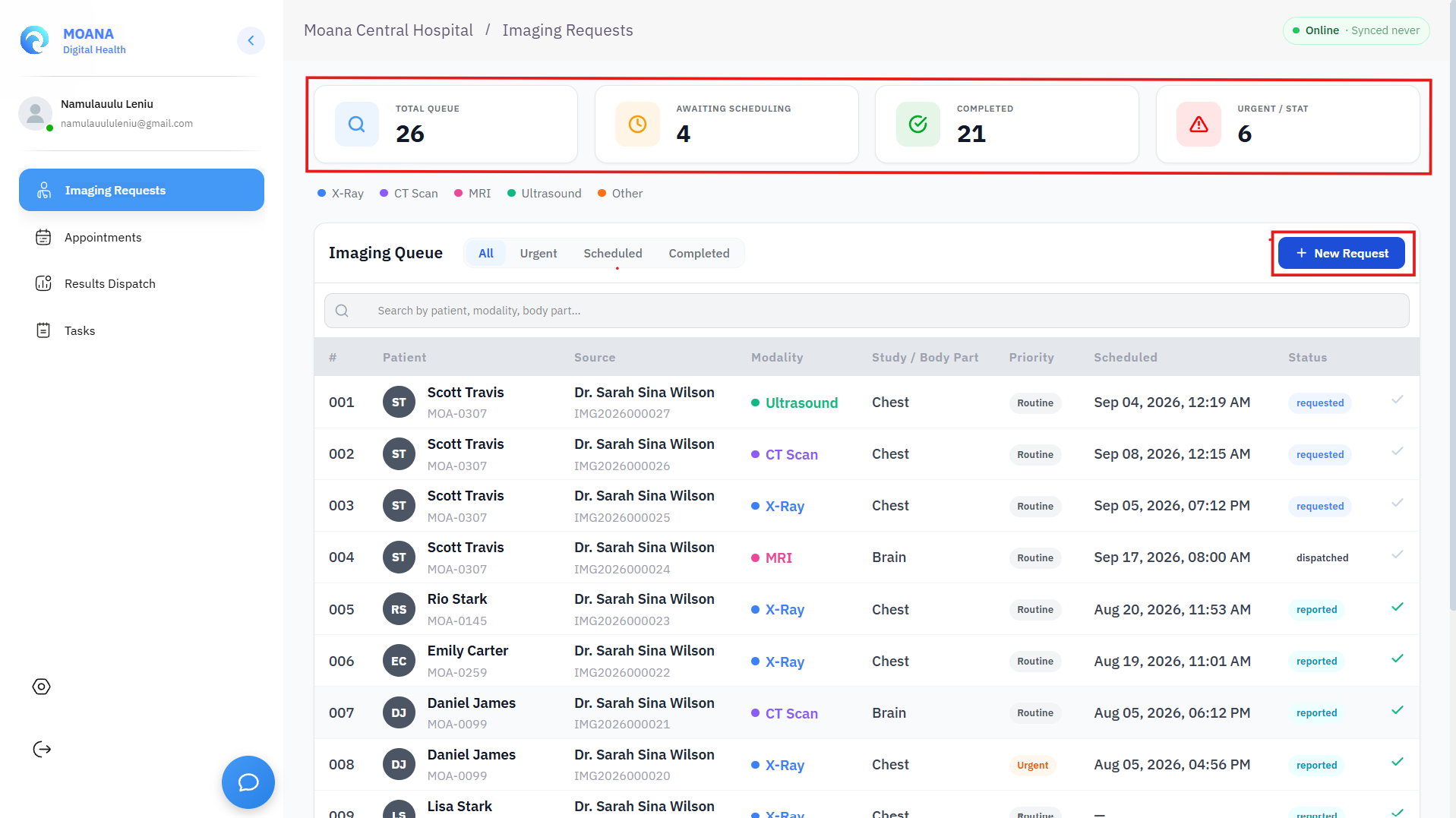
1. System Architecture & Two-Step Verification Model
The Radiology subsystem connects three tightly integrated components:
graph LR
    A[Doctor: CPOE Imaging Order] --> B[Modality Worklist: X-Ray, CT, MRI, US]
    B --> C[Scanner: DICOM C-STORE to PACS]
    C --> D[Radiologist: OHIF Viewer Review]
    D --> E[Radiologist: 3-Part Structured Report]
    E -->|Release Report| F[Electronic Dispatch to EHR]
    F -->|Independent Step| G[Doctor: Critical Acknowledgment]
- MOANA EHR Core: Manages electronic order entry, patient demographics, clinical indications, and final report delivery.
- Orthanc PACS Server: High-performance medical archive storing raw DICOM image series transmitted via DICOM C-STORE from scanners.
- OHIF Diagnostic Viewer: Zero-footprint, web-based DICOM viewer embedded directly within MOANA for high-resolution image manipulation and measurement.
:::important The Two-Step Verification Model The Radiologist's report release and the Attending Doctor's acknowledgment are two separate, independently timestamped legal actions. This dual-timestamped audit trail represents the highest standard of patient safety and medico-legal compliance. :::
2. Radiologist & Radiographer Workflow — Step by Step
Step 1: Modality Worklist & Patient Preparation
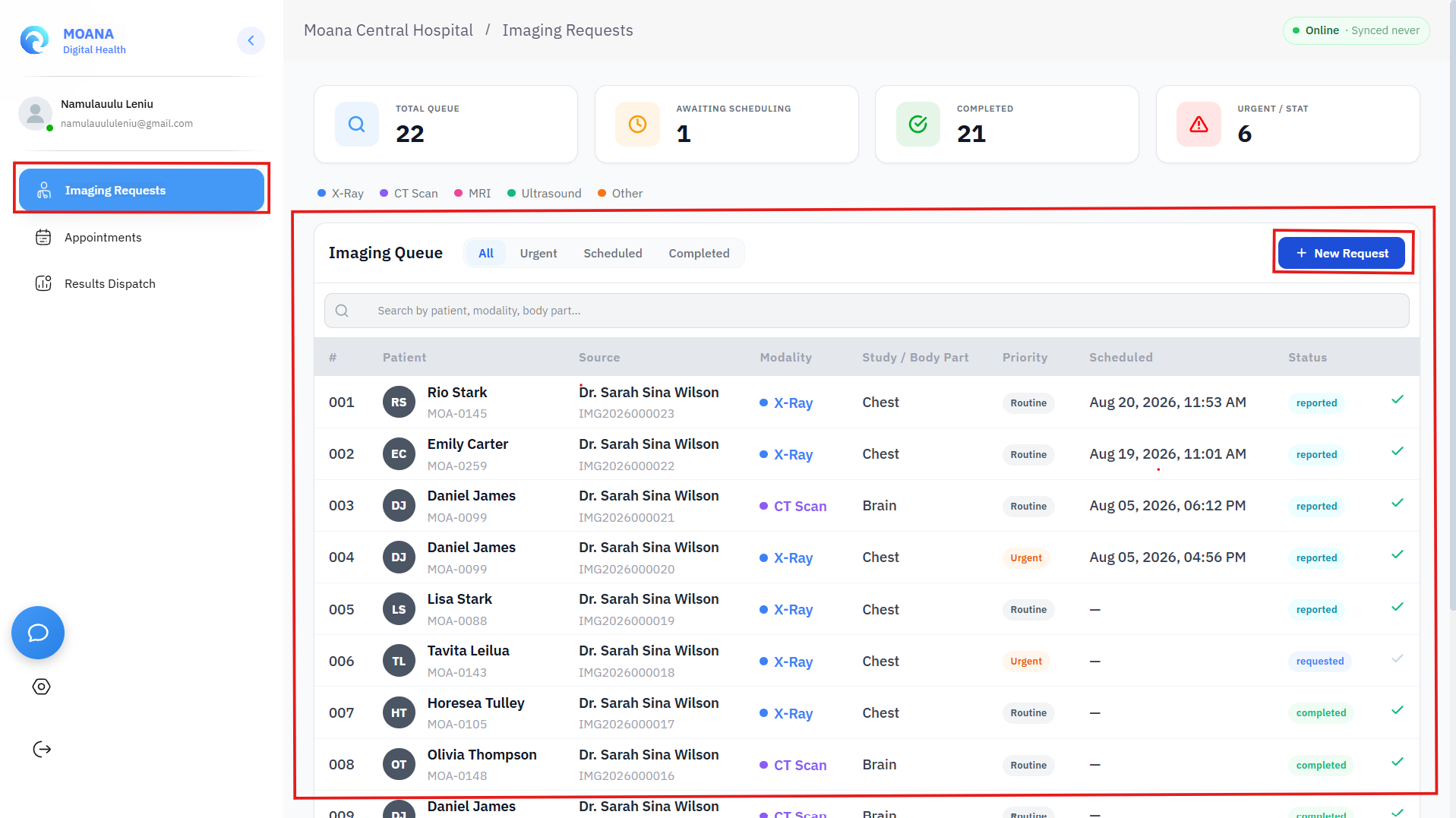
- Open Radiology → Imaging Requests & Worklist.
- Filter by modality (
X-Ray,CT,Ultrasound,MRI,Mammography,Fluoroscopy) and urgency (STAT,Urgent,Routine). - Pre-Procedure Safety Screening:
- IV Contrast Studies: For contrast-enhanced CT/MRI, verify recent serum creatinine and estimated GFR (eGFR > 30 mL/min/1.73 m²).
- Pregnancy & Radiation Safety: Confirm pregnancy screening for female patients of childbearing age undergoing ionizing radiation.
- MRI Safety Checklist: Screen for ferromagnetic implants, cardiac pacemakers, or metallic foreign bodies.
Step 2: Image Acquisition & Automatic PACS Synchronization
- The radiographer acquires images on the imaging modality.
- The scanner pushes the DICOM series directly to the Orthanc PACS server via DICOM C-STORE.
- Automated Study Linkage: MOANA matches incoming studies with the original electronic order using the unique Accession Number.
- If an unlabelled or emergency trauma study arrives without an order, the radiographer uses the Reconcile Orphan Study tool to bind the images to the patient's MOANA Health ID.
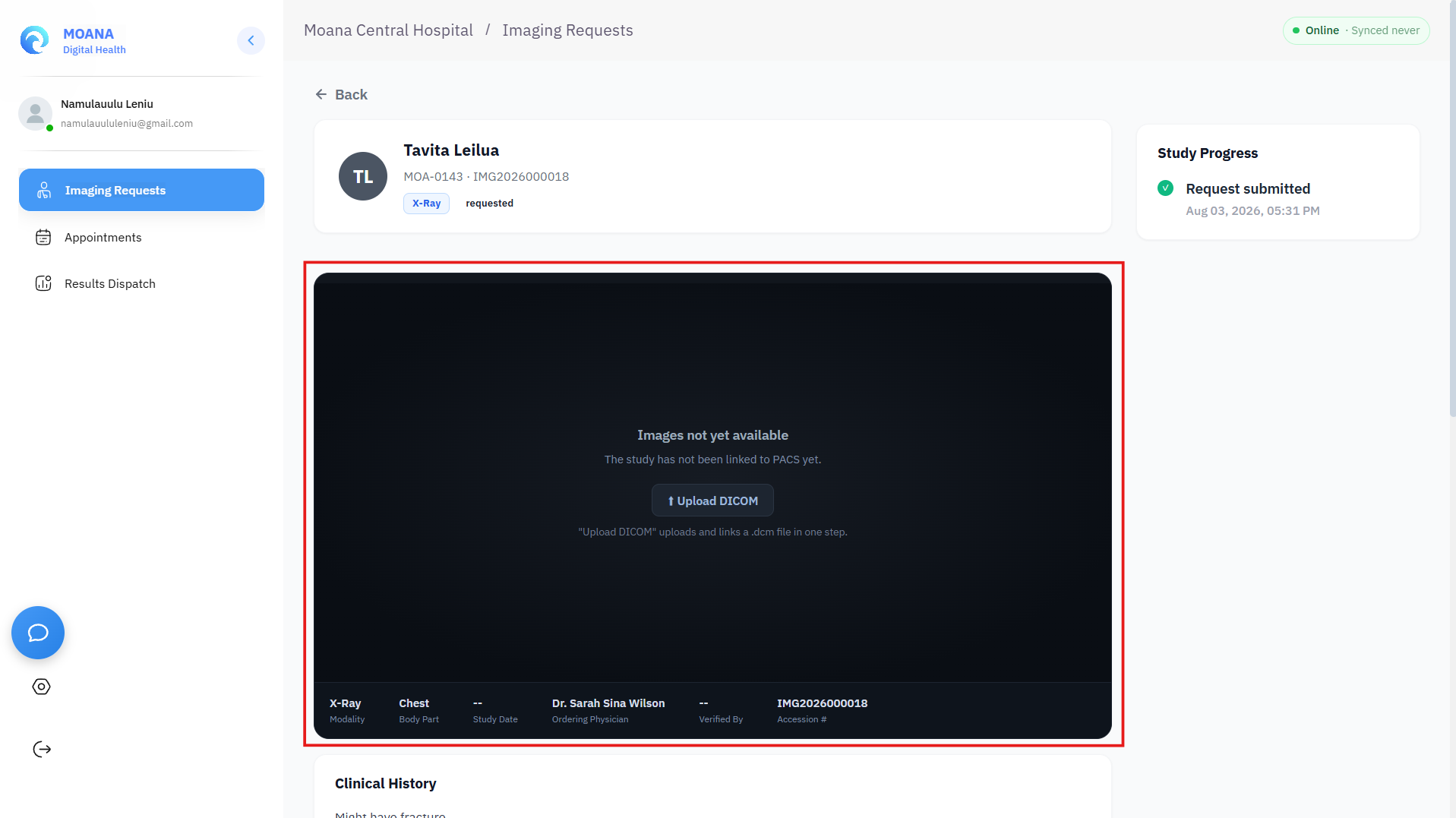
Step 3: Diagnostic Image Review in the OHIF Viewer
Click "Launch Viewer" on the worklist to open the full-featured diagnostic viewer:
Advanced Viewer Capabilities:
- Window Width & Level (W/L) Presets: Instant switching between Bone, Soft Tissue, Lung, Brain, Liver, or custom manual contrast leveling.
- Multi-Planar Reconstruction (MPR): Real-time orthogonal reformatting into Axial, Coronal, and Sagittal planes for 3D volumetric CT/MRI acquisitions.
- Clinical Measurement Toolset: Calibrated length (mm), Cobb angles, region-of-interest (ROI) mean density (Hounsfield Units - HU), and ellipse area tools.
- Prior Study Comparison: Side-by-side comparative viewing of historical imaging to track tumor regression, fracture healing, or pneumonia resolution.
Step 4: Structured 3-Part Report Authoring
MOANA enforces a structured 3-part reporting standard to eliminate ambiguity in radiological findings:
- FINDINGS (Section 1):
- Systematic, objective description of all anatomical structures within the field of view.
- IMPRESSION (Section 2):
- Concise clinical interpretation summarizing the primary diagnostic conclusion.
- Standardized RADS classifications where applicable (e.g., BI-RADS for Breast, Lung-RADS for Thoracic CT, TI-RADS for Thyroid, PI-RADS for Prostate).
- RECOMMENDATIONS (Section 3):
- Actionable clinical advice regarding follow-up imaging intervals, complementary modalities, or urgent specialty consultations.
:::tip Mandatory Report Completeness To ensure clinical clarity, MOANA requires non-empty text in all three sections (Findings, Impression, and Recommendations) before the report can be officially released. :::
Step 5: Critical & Urgent Finding Notification Protocol
graph TD
    A[Radiologist Detects Critical Finding] --> B[Flag Report as CRITICAL URGENT]
    B --> C[Direct Telephone Call to Ordering Doctor]
    C --> D[Log Doctor Name, Time & Verbal Read-Back]
    D --> E[Release Report to EHR]
    E --> F[High-Priority Banner Alerts Doctor Dashboard]
    F --> G[Doctor Formally Acknowledges in Chart]
- If an acute life-threatening emergency is detected (e.g., Intracranial Hemorrhage, Tension Pneumothorax, Acute Aortic Dissection, Bowel Perforation with Free Air):
- Flag the study as 🔴 Critical Urgent.
- Direct Clinician Contact: Call the ordering doctor or attending emergency physician directly.
- Document Verbal Read-Back: In the report header, record:
- Name and designation of the clinician spoken to.
- Exact time of verbal communication.
- Confirmation of verbal read-back.
- Click "Release Report".
Step 6: Dispatch & Attending Clinician Acknowledgment
- Releasing the report immediately publishes the verified findings to the patient's continuous longitudinal EHR dossier.
- The ordering doctor receives an alert on their Doctor Command Dashboard.
- The doctor opens the report, reviews the impression, and clicks "Acknowledge Report", completing the closed-loop safety verification.
3. Radiology Role-Based Access Control (RBAC)
| Operational Capability | Radiographer / Tech | Consultant Radiologist | Clinical Doctor | Radiology Administrator |
|---|---|---|---|---|
| View Modality Worklist | ✅ | ✅ | ✅ | ✅ |
| Mark Study as Performed | ✅ | ✅ | ❌ | ✅ |
| Launch OHIF DICOM Viewer | ✅ | ✅ | ✅ | ✅ |
| Author & Sign Radiology Reports | ❌ | ✅ | ❌ | ❌ |
| Flag & Release Critical Reports | ❌ | ✅ | ❌ | ❌ |
| Acknowledge Reports in EHR | ❌ | ❌ | ✅ | ❌ |
| Configure PACS Storage & Modality AET | ❌ | ❌ | ❌ | ✅ |