Staff Management, Rosters & Clinical Task Boards
This section provides an exhaustive guide to Staff Management, Rosters & Clinical Task Boards in MOANA EHR, covering all core operational pillars: Staff Directory & Credentialing, + Add Staff Member, Live "On Shift Now" Tracking, Weekly 7-Day Shift Rosters, Staff Profile Dossiers, and the Clinical Task Delegation & Workboard Engine.
1. Module Overview & Operational Architecture
The Staff Management & Clinical Tasks module unites human resources, shift scheduling, and clinical workflow delegation into a unified operational command center.
graph TD
    A[Staff Directory & Licensing Roster] --> B[Shift Directory & Timing Templates]
    B --> C[Weekly 7-Day Shift Roster]
    C --> D[Live On-Shift Roster & Patient Load]
    D --> E[Clinical Task Delegation Engine]
    E --> F{Task Execution Lifecycle}
    F -->|Assigned| G[Pending / To Do]
    F -->|Accepted| H[In Progress]
    F -->|Performed| I[Completed with Clinical Notes]
    F -->|Emergency / Heavy Load| J[Decline & Reassign to Next Nurse]
Core Operational Components:
| Area | Purpose & Workflow | Core Features |
|---|---|---|
| 1. Staff Directory | Personnel & Licensing Registry | Central staff repository, role categorization (Doctors, Nurses, Support Staff), professional license tracking, and digital access provisioning. |
| 2. Live Shift Tracking | Real-Time On-Duty Roster | Live list of staff currently clocked in, active department assignments, shift times, and current patient load capacity ratios. |
| 3. Weekly Shift Roster | 7-Day Shift Scheduling Grid | Interactive multi-department roster matrix with color-coded shift pills (Morning, Afternoon, Night, 24 Hours, Off/Leave). |
| 4. Staff Profiles | Role-Aware Personnel Dossier | Comprehensive employee view with contact data, credentials, verified skills, assigned inpatients, and shift history. |
| 5. Clinical Task Management | Patient-Centered Duty Delegation | Delegation engine connecting Doctors, Ward Sisters, and Staff Nurses for clinical bedside procedures with priority bands. |
2. Staff Directory & Departmental Distribution
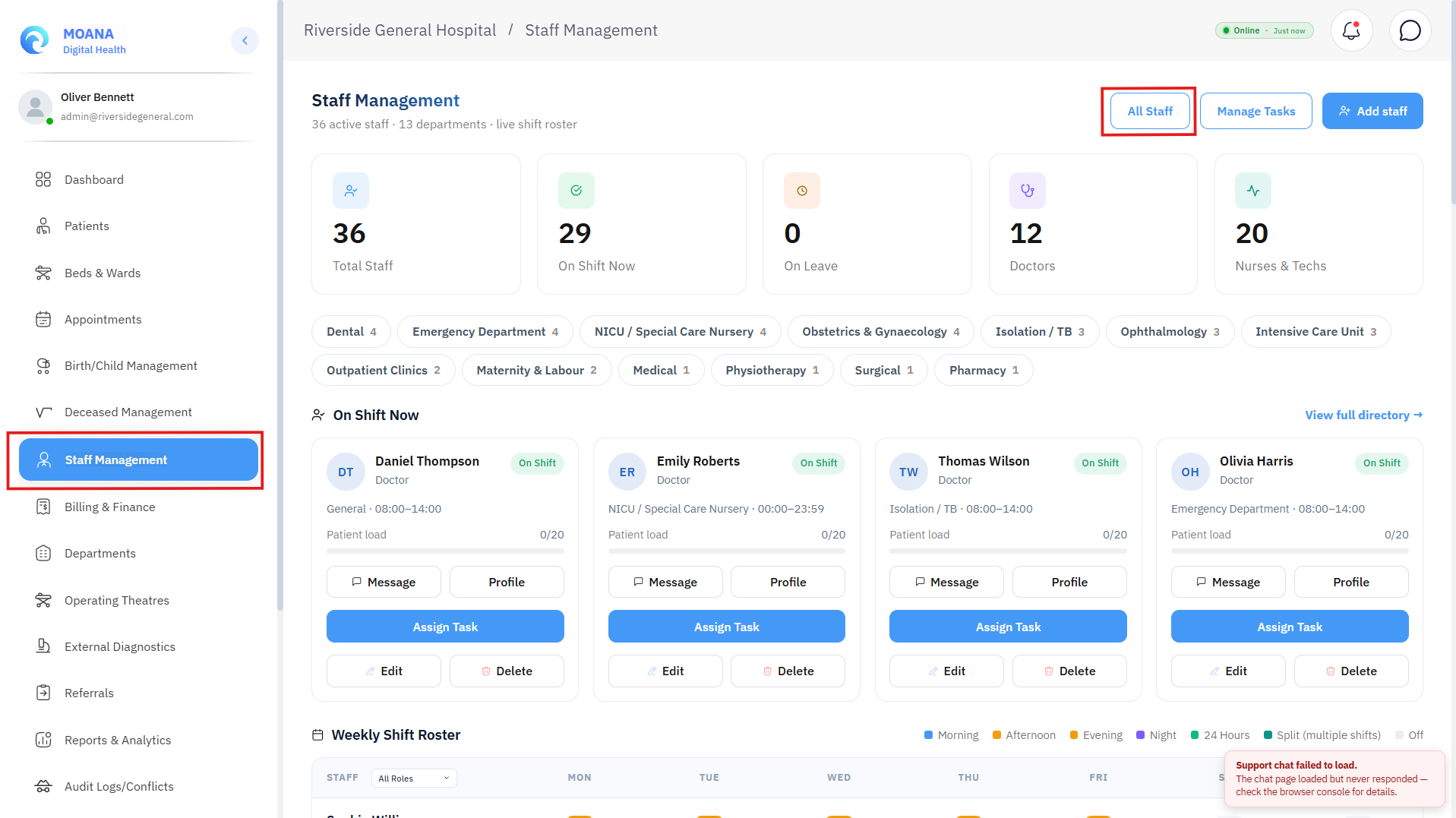
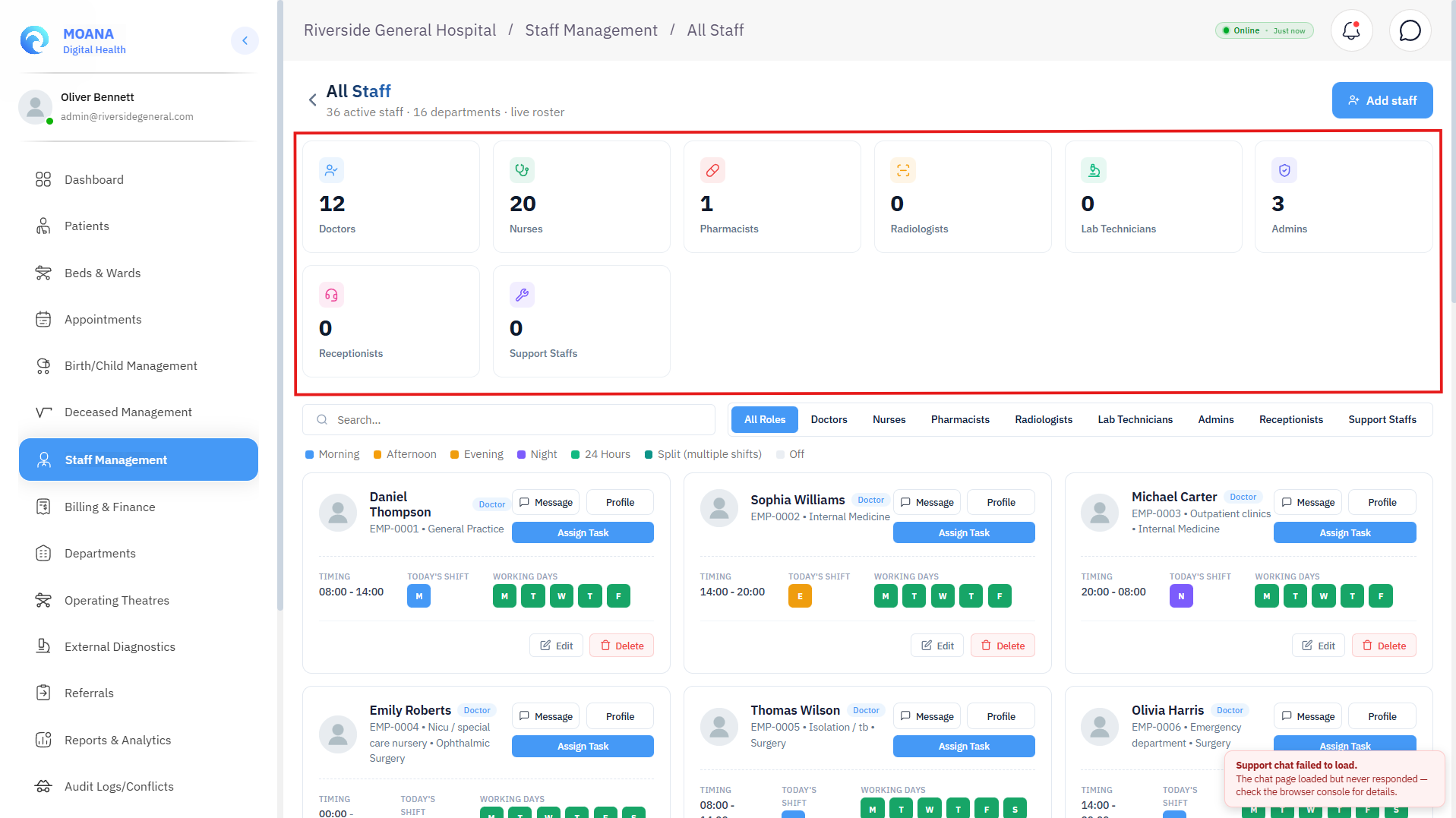
The Staff Directory is the central personnel repository accessible to Hospital Administrators, Medical Directors, and HR Managers.
Key Capabilities:
- Executive Staffing KPIs:
- Total Staff: Total registered workforce across all hospital facilities.
- Doctors: Count of active medical practitioners and specialists.
- Nurses & Technicians: Aggregate count of nursing personnel, lab technologists, and radiographers.
- On Shift Now: Real-time headcount of staff currently on duty.
- On Leave: Staff on approved annual, medical, or study leave.
- Departmental Staffing Distribution: Live visual bars showing headcount allocation across departments (Emergency, Surgery, Pediatrics, Internal Medicine, ICU, Laboratory, Pharmacy, Administration).
- Role Categorization Tabs: Quick filtering by Doctors, Nurses, Support Staff, and Deactivated Staff.
- Live On-Shift Cards: Compact status cards displaying currently working staff, their assigned department, active shift timing (e.g.,
08:00 – 14:00), on-shift status badge (On Shift,On Break), and patient load ratio (e.g.,4 / 8 Patients).
3. Registering New Staff (+ Add Staff Member)
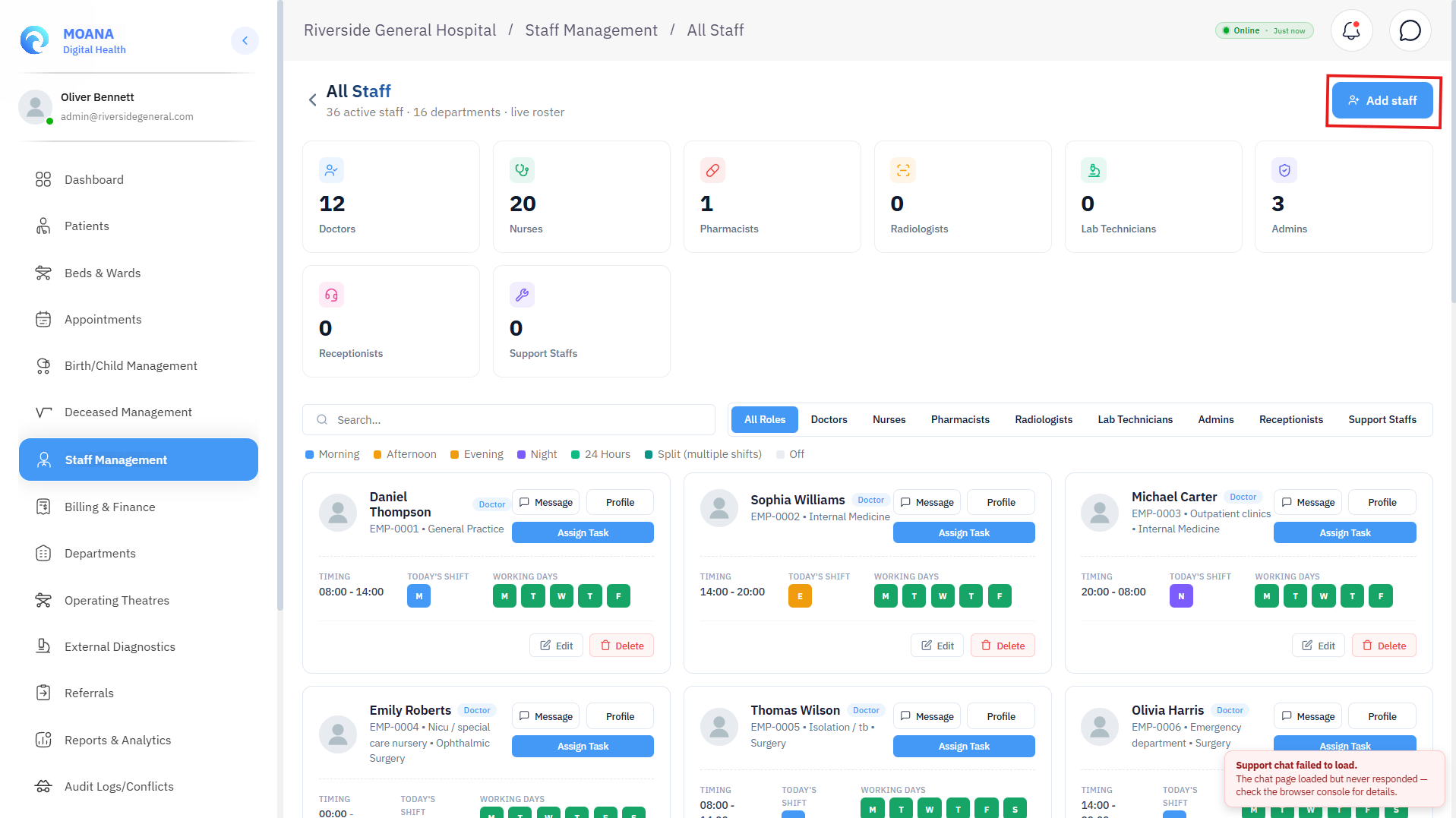
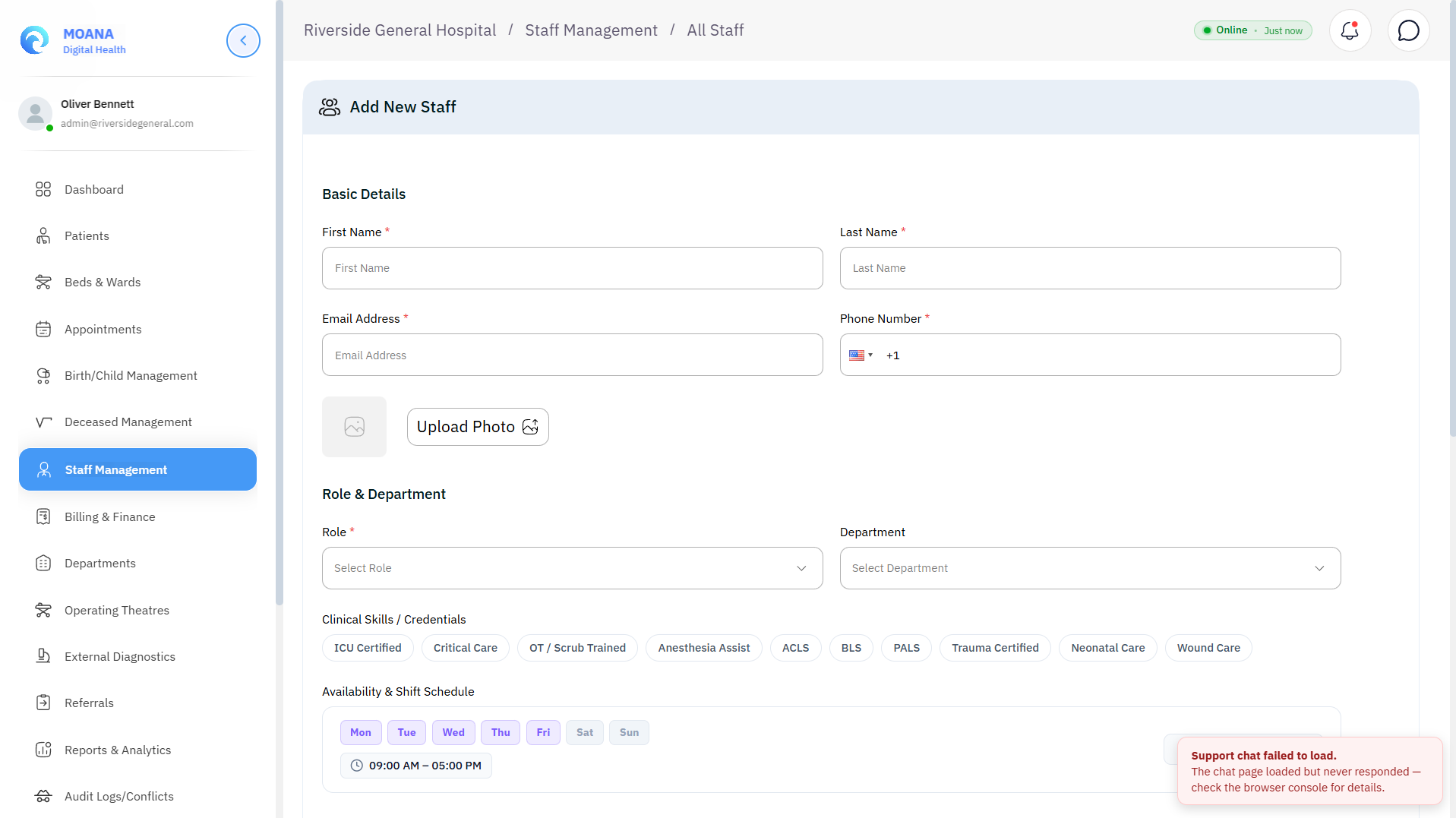
Clicking + Add Staff Member opens the personnel onboarding form.
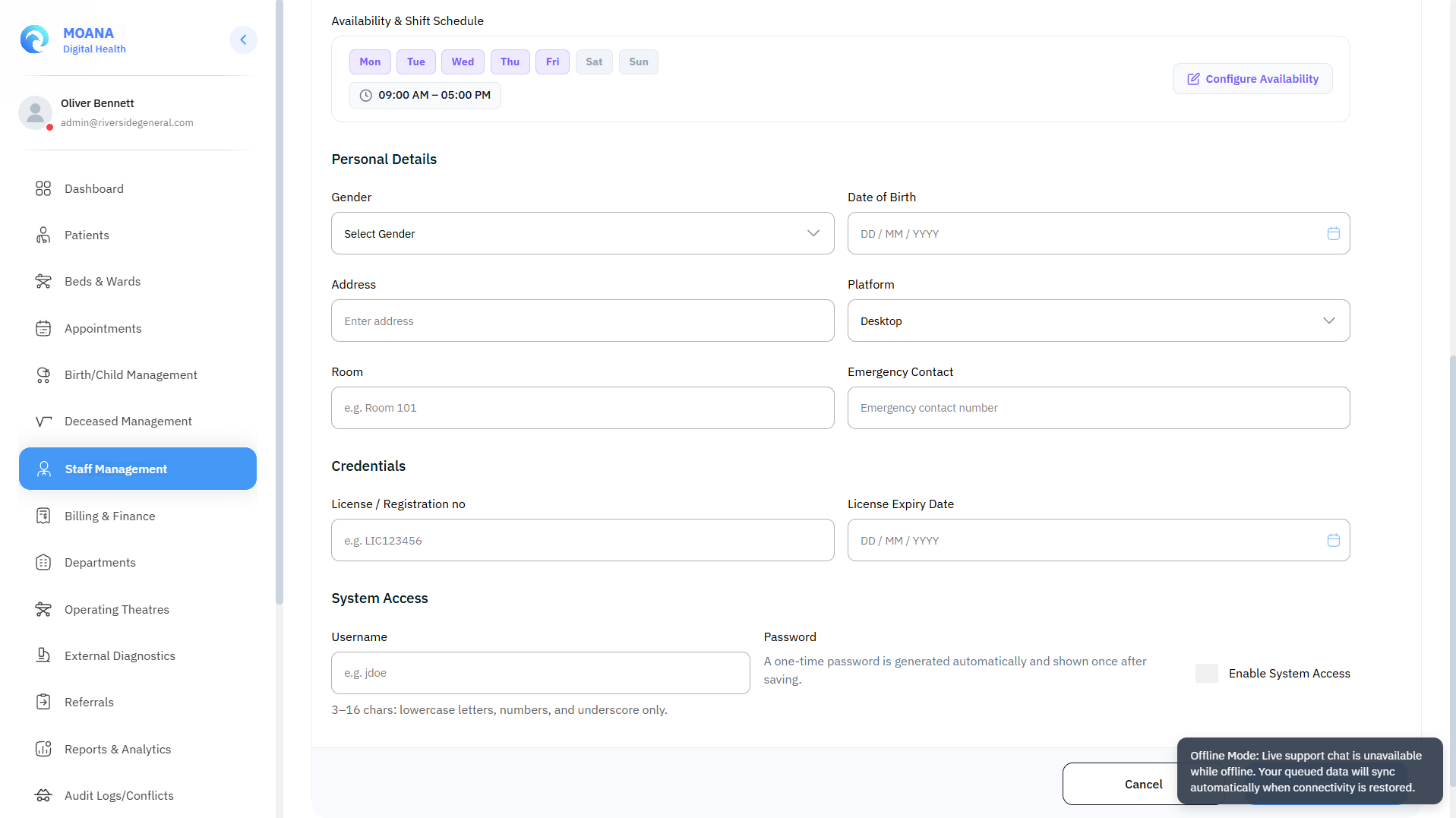
Step-by-Step Onboarding Workflow:
Step 1Enter Personal Details & Contact Information
Provide the employee's First Name, Last Name, Gender, Date of Birth, Phone Number (with country code), Email Address, physical Address, and Emergency Contact Number. Upload a professional profile photograph.
Step 2Assign System Role & Department
Select the primary System Role:
- 🩺 Doctor — Clinical consultation, CPOE ordering, diagnostic sign-off.
- 👩⚕️ Nurse — Bedside charting, triage vitals, eMAR medication administration, shift handover.
- 💊 Pharmacist — Prescription verification, CDS interaction review, dispensing.
- 🔬 Lab Technician — Specimen accessioning, analyzer telemetry, supervisor verification.
- 🩻 Radiologist — DICOM PACS review, structured 3-part reporting.
- 📇 Receptionist — Patient registration, MPI lookup, OPD triage queue.
- 🛡️ Administrator — Facility configuration, RBAC, financial ledgers, audit logs.
- 🧰 Support Staff — Ward orderlies, porters, and maintenance personnel.
Specify the assigned Department (Emergency, Internal Medicine, Surgery, Pediatrics, ICU, etc.) and assigned Room / Office Number.
Step 3Configure Licensing, Credentials & Clinical Skills
- Professional Licensing: Enter the Medical / Nursing Council License Number and License Expiration Date.
- Specialization (Doctors): Select specialty (General Practice, Internal Medicine, Pediatrics, Surgery, Cardiology, Emergency Medicine, Anesthesiology, Radiology, Pathology, Obstetrics & Gynecology, Orthopedics, etc.).
- Nursing Level (Nurses): Select nursing grade (Staff Nurse, Charge Nurse, Nursing Sister, Ward In-Charge).
- Clinical Skills Checklist: Tag verified competencies:
- 🫀
ICU Certified·Critical Care - 🔪
OT / Scrub Trained·Anesthesia Assist - ⚡
ACLS (Advanced Cardiac Life Support)·BLS (Basic Life Support)·PALS (Pediatric Advanced Life Support) - 🩸
Trauma Certified·Neonatal Care·Wound Care Specialist
- 🫀
Step 4Define Default Duty Schedule & Working Days
- Shift Timing Template: Choose from standard presets:
- 🌅 Morning:
08:00 – 14:00 - 🌇 Afternoon:
14:00 – 20:00 - 🌙 Night:
20:00 – 08:00 - 🔄 24 Hours:
00:00 – 23:59 - ⚙️ Custom: Specify custom start/end hours.
- 🌅 Morning:
- Working Days: Check the scheduled days of the week (Monday through Sunday).
Step 5Generate Credentials Handover
Click Save Staff Member. The system creates the user record and presents the One-Time Temporary Password Handover Modal containing the auto-generated username and secure initial password for the employee.
4. Weekly 7-Day Shift Roster Grid
The Weekly Shift Roster provides an interactive, color-coded scheduling matrix across the entire facility roster.
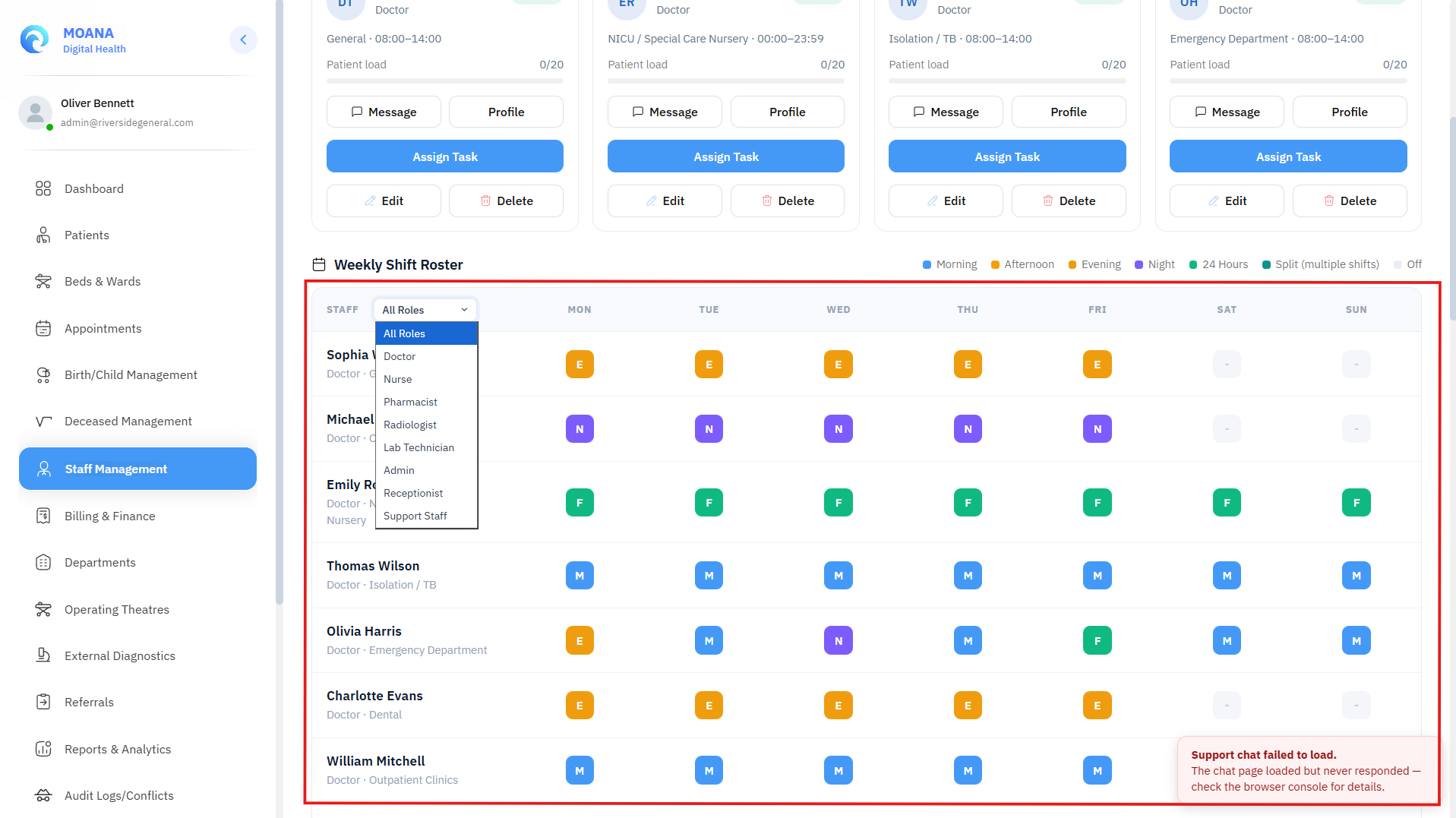
Roster Key & Shift Codes:
| Shift Code | Shift Label | Timing Window | Color Badge |
|---|---|---|---|
| M | Morning Shift | 08:00 – 14:00 | 🟡 Amber / Yellow |
| A | Afternoon Shift | 14:00 – 20:00 | 🔵 Blue |
| N | Night Shift | 20:00 – 08:00 | 🟣 Indigo / Purple |
| 24h | Full 24-Hour Duty | 00:00 – 23:59 | 🟢 Green |
| OFF | Off Duty / Scheduled Leave | Non-Working Day | ⚪ Slate / Gray |
Interactive Roster Features:
- Role Filtering: Filter the grid to view Doctors, Nurses, or Support Staff separately.
- Cell Popover Details: Clicking any day cell displays the exact scheduled shift timing, department location, and active replacement coverage if on leave.
- Shift Availability Updates: Administrators can quickly adjust individual daily availability or mark emergency sick leave directly from the roster.
5. Role-Aware Staff Profile Dossier
Clicking on any staff row opens the comprehensive Staff Profile Dossier.
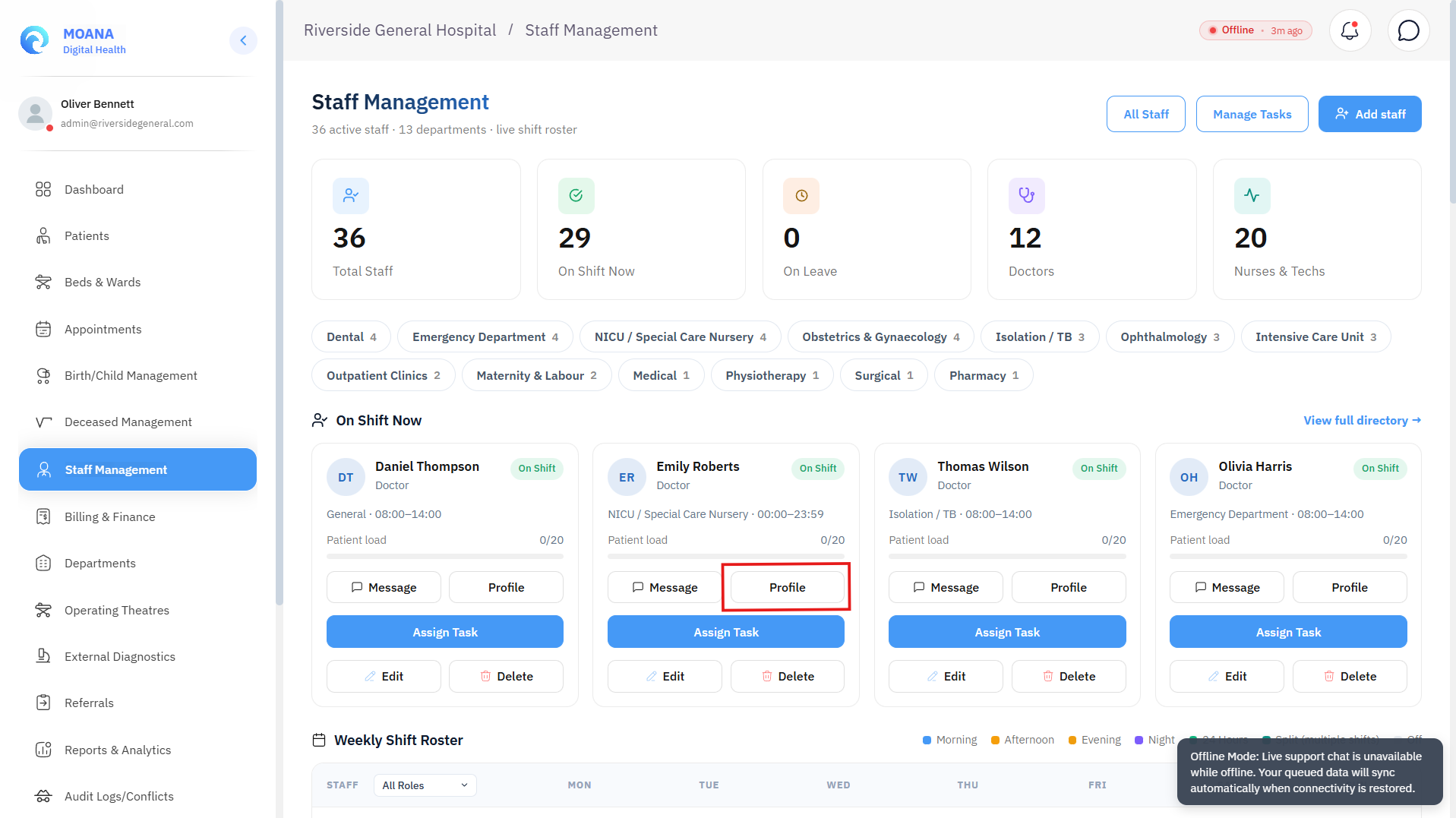
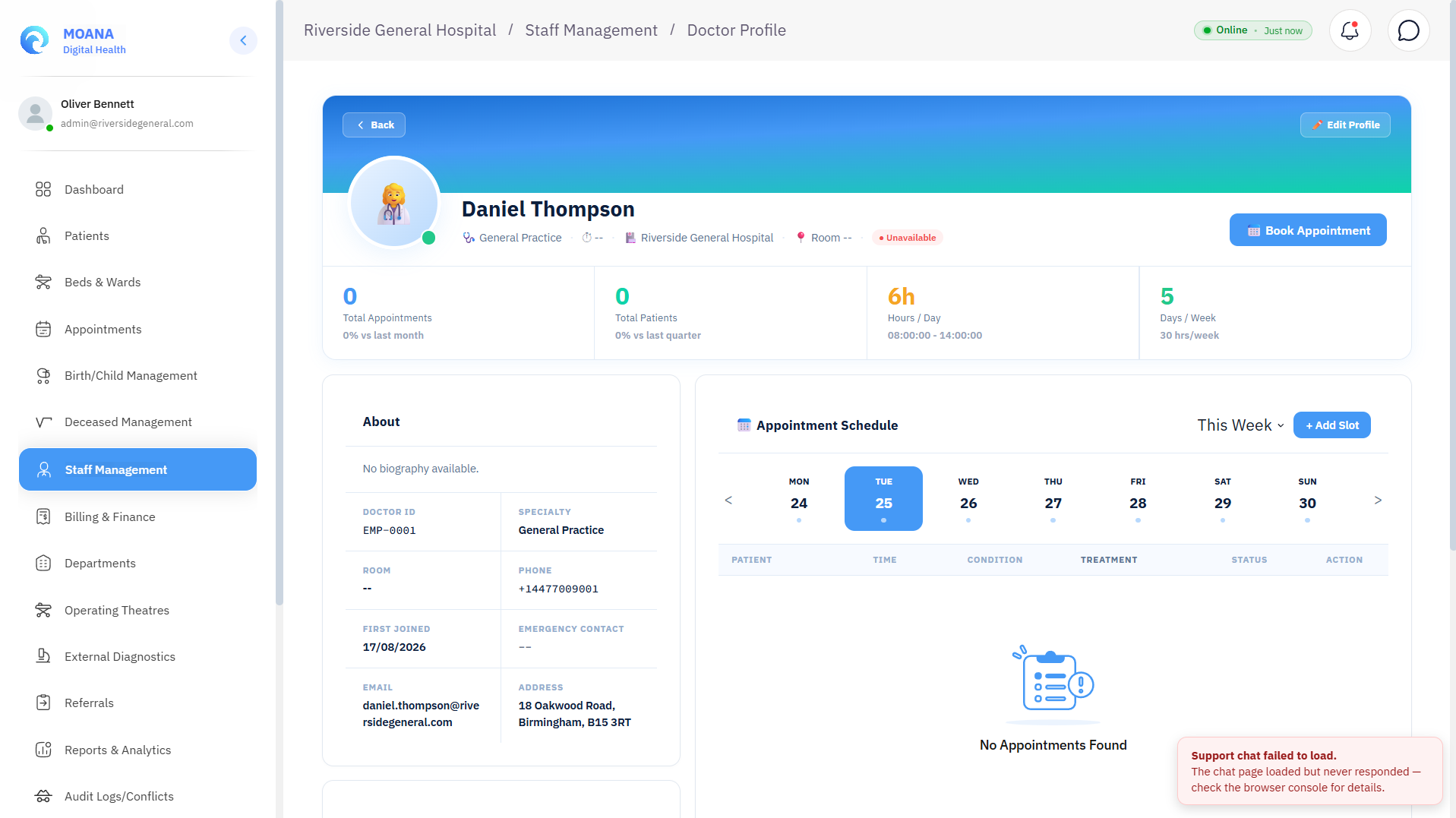
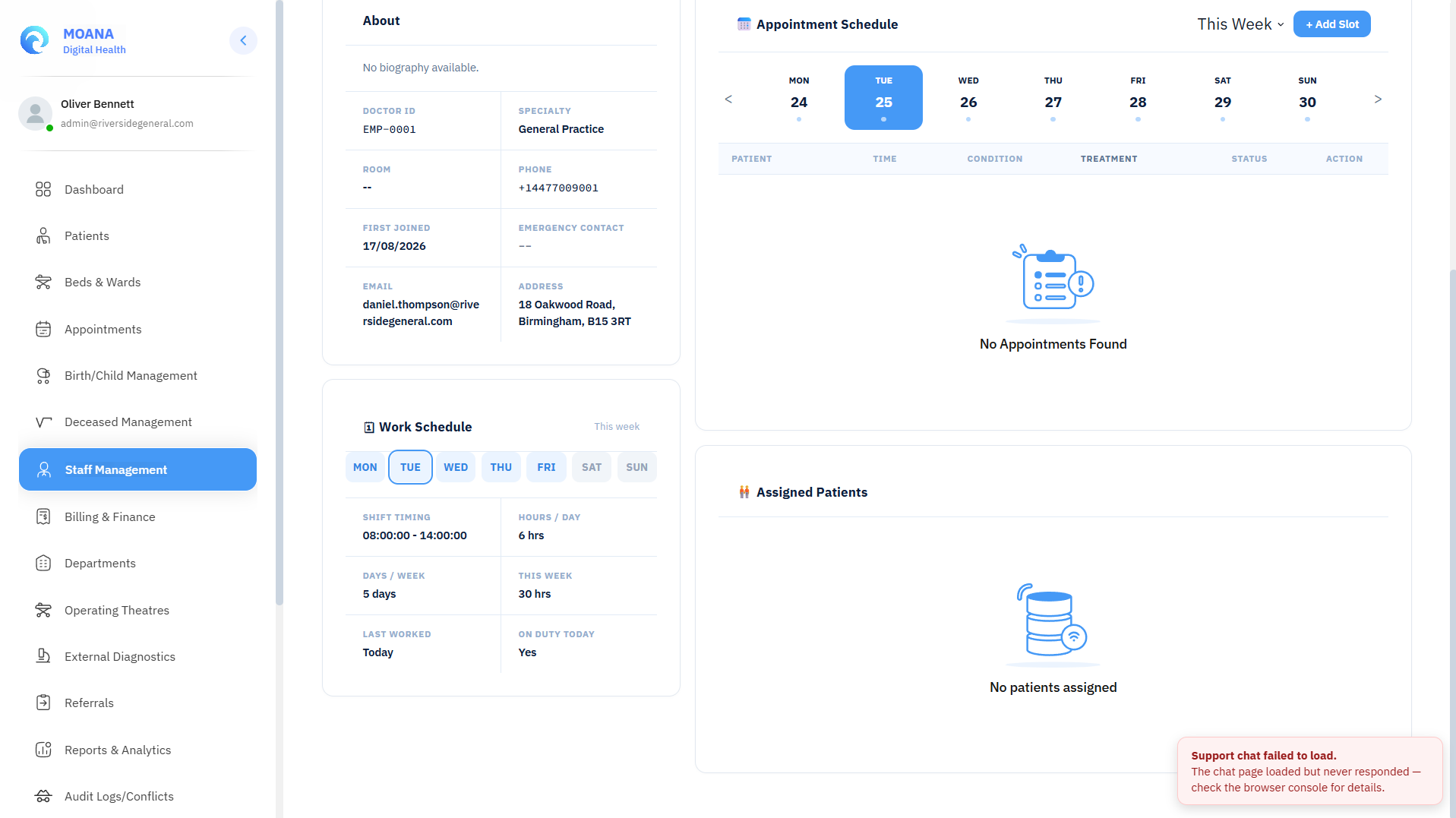
Profile Sections:
- Header & Credentials: Staff photo, full legal name, system role, department, employee ID, and active license validity badge.
- Work Schedule Card: Displays today's shift timing, clock-in status, weekly hours, and scheduled rest days.
- Role-Specific Active Work Panels:
- Doctors: Current outpatient queue, assigned inpatient beds, pending lab/radiology reviews.
- Nurses: Active ward bed assignments, patient acuity breakdown, eMAR doses due in current shift.
- Pharmacists: Pending dispensing queue count and Controlled Drugs Register movements.
- Lab Technologists: Active specimen accessioning worklist and pending verification queue.
- Receptionists: Front desk check-in queue and today's scheduled clinic appointments.
- Action Bar:
- Edit Profile: Update personal details, contact number, or schedule.
- Assign Task: Delegate a new patient-centered task to this staff member.
- Set Availability: Update shift availability, break times, or log leave.
- End Shift: Conclude active shift and prompt nursing handover summary.
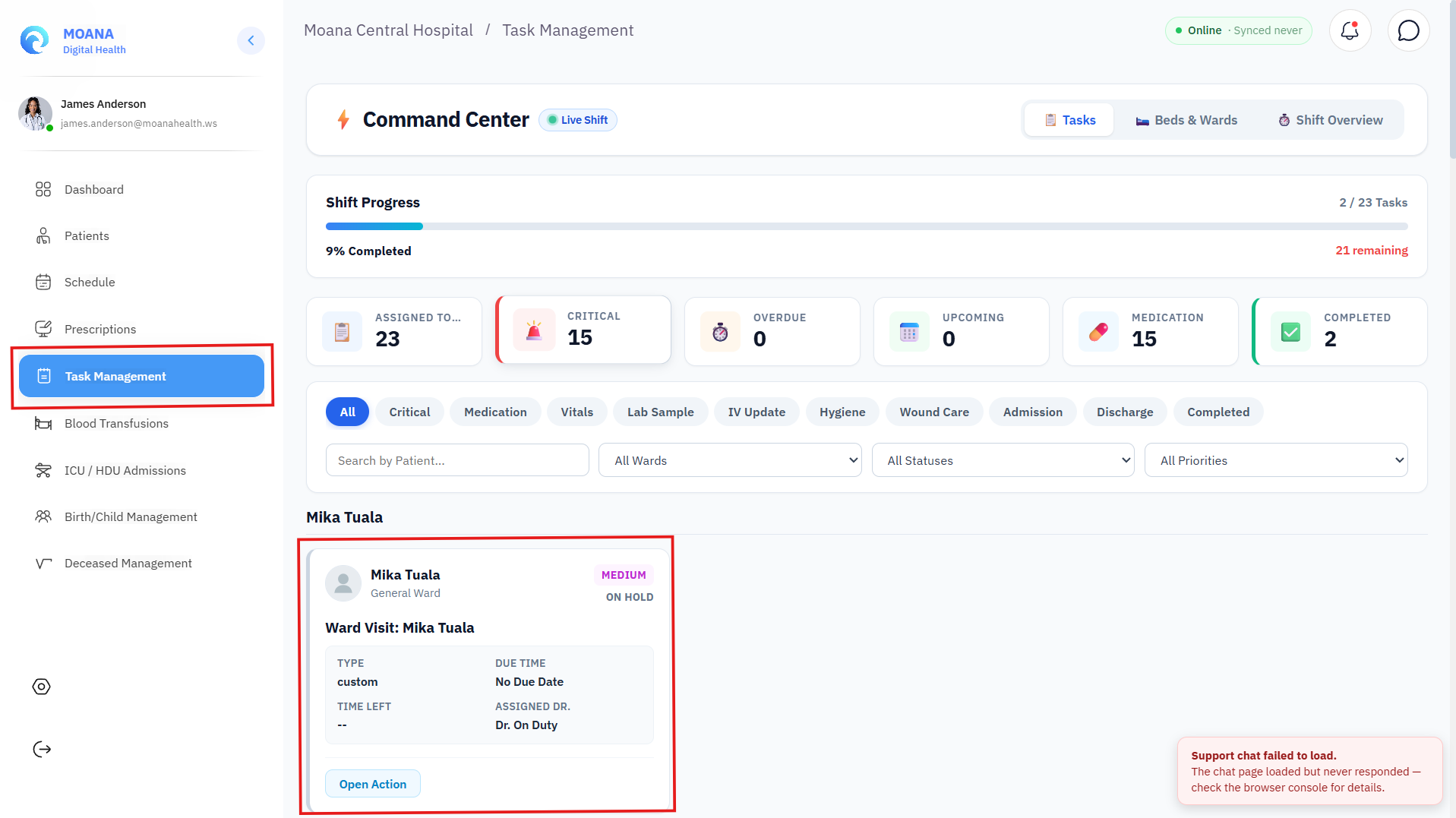
6. Clinical Task Management & Workboard Engine
The Clinical Task Management console connects Attending Physicians, Ward Sisters, Staff Nurses, and Support Staff for real-time task delegation.
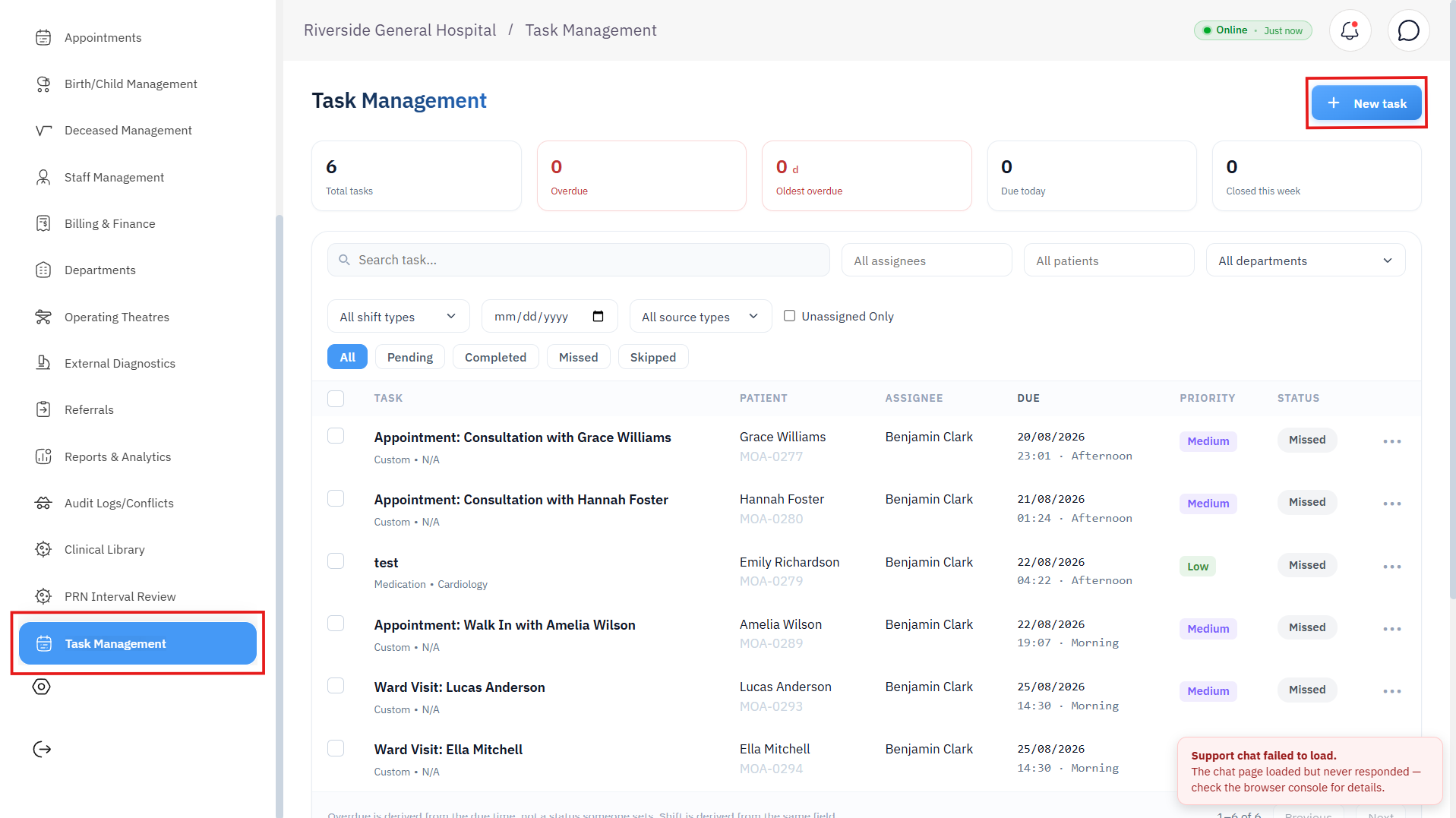
Task Workboard Structure:
stateDiagram-v2
    [*] --> Scheduled: Task Created & Delegated
    Scheduled --> Acknowledged: Staff Accepts Ownership
    Acknowledged --> InProgress: Care Action Commenced
    InProgress --> Completed: Procedure Finished & Notes Saved
    InProgress --> Declined: Staff Rejects Due to High Acuity
    Declined --> Reassigned: Task Re-routed to Available Nurse
    Reassigned --> InProgress
    InProgress --> Missed: Exceeded Due Window
    Completed --> [*]
Status Tabs & Workflow Stages:
- All: Comprehensive list of all departmental tasks.
- Pending / Scheduled: Newly created tasks awaiting staff acknowledgment.
- In Progress / Acknowledged: Staff member has taken ownership and started the task.
- Completed: Procedure performed; includes completion timestamp and clinical note.
- Missed / Overdue: Tasks that have exceeded their target turnaround time (highlighted in red).
- Skipped / Declined: Tasks declined by staff; automatically flagged for supervisor reassignment.
Priority Bands & Time-to-Due:
- 🟢 Low: Routine care (e.g., linen change, routine vitals).
- 🟣 Medium: Standard clinical care (e.g., blood glucose check, oral medication).
- 🟠 High: Urgent interventions (e.g., IV cannula re-siting, post-op dressing).
- 🔴 Urgent / STAT: Immediate clinical duty (e.g., STAT blood draw, emergency ECG, pre-op fasting check).
- Dynamic Time Counter: Displays real-time countdown (e.g.,
In 25 m,In 2 h 10 m, orOverdue).
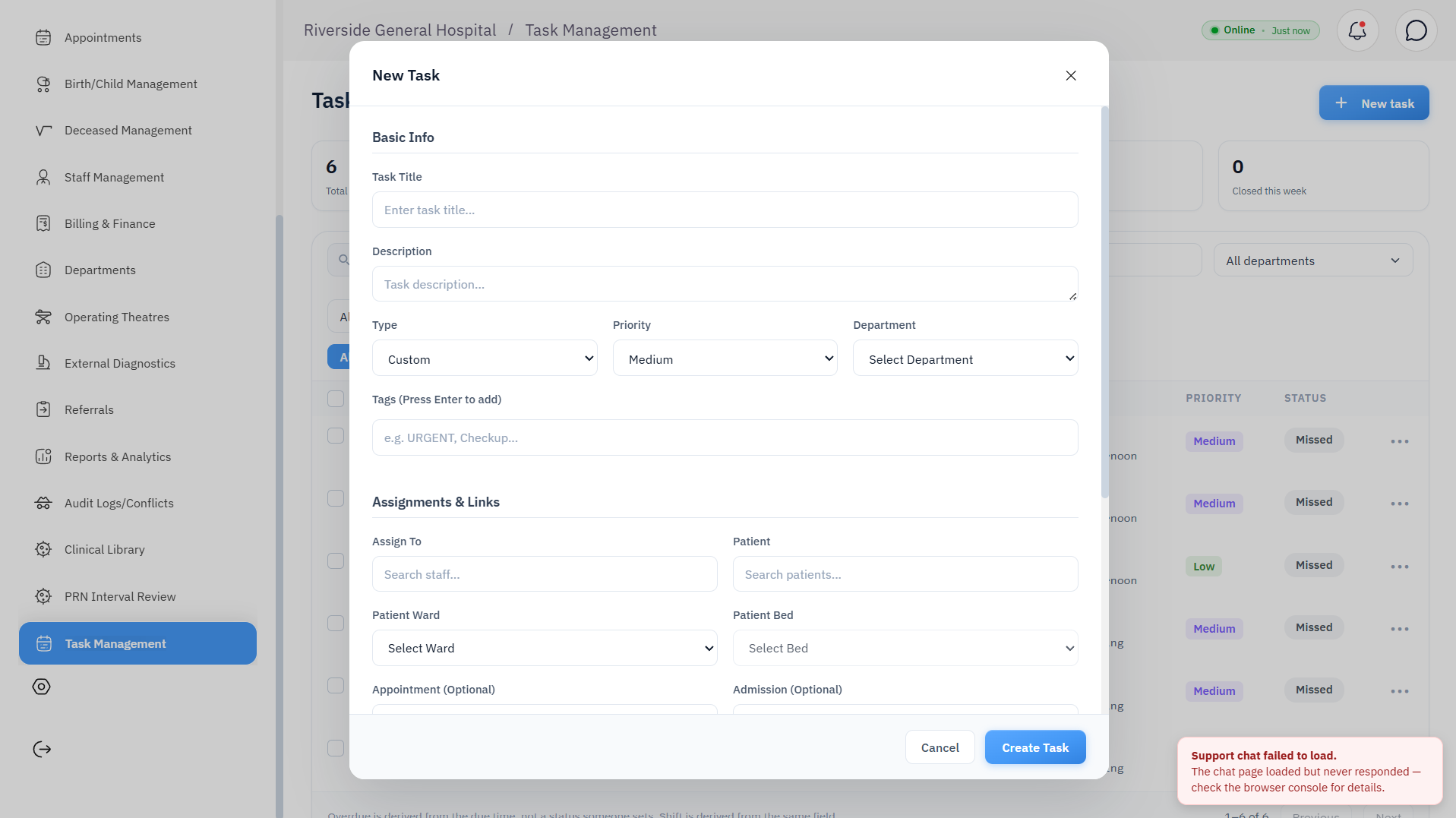
7. Creating & Assigning a Clinical Task (+ New Task)
Ward Sisters and Attending Physicians can create tasks from the Clinical Tasks Console, Nurse Dashboard, or Inpatient Patient Chart.
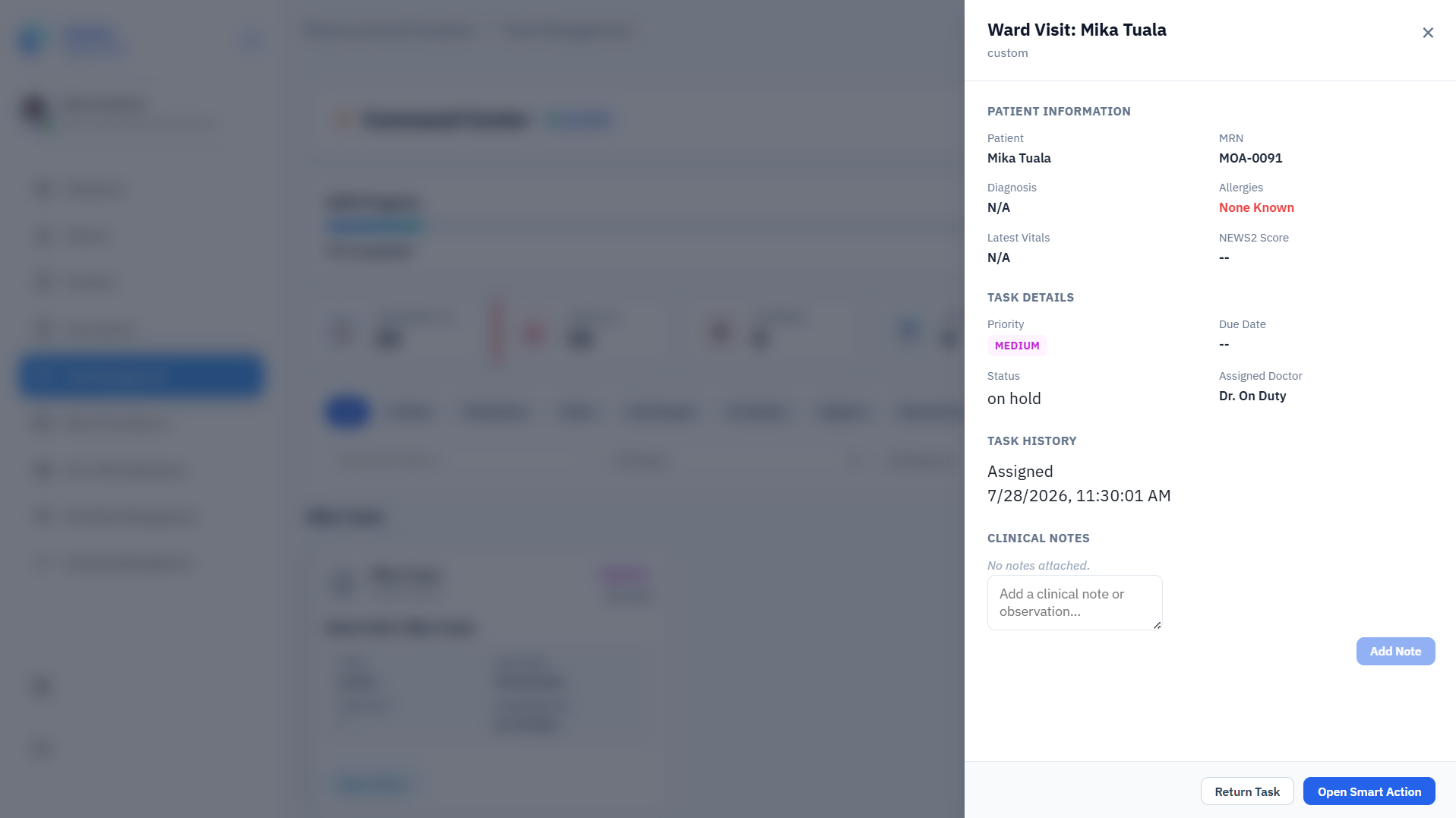
Step-by-Step Task Creation:
Step 1Select Target Staff Member
Choose the assigned staff member from the searchable staff combobox. The selector displays each staff member's real-time on-shift status, role, and current patient load.
Step 2Link Patient & Bed Location
Search and select the patient by name or Moana ID. The modal auto-populates the patient's ward, room, and bed number.
Step 3Define Task Type & Category
Select the clinical task category:
- 🩸 Sample Collection / Phlebotomy — Blood draw, blood culture, urine specimen.
- 🩹 Wound Care & Dressing — Surgical site dressing, burn care, pressure ulcer dressing.
- 💉 Medication & Infusion — IV cannulation, infusion rate check, nebulization.
- 📊 Vital Signs & Monitoring — Batch vitals, blood glucose check (BGL), neurological GCS check.
- 📋 Pre-Op & Procedural Prep — Fasting check, surgical scrub prep, consent check.
- 🛏️ Patient Care & Transport — Patient transfer, catheterization, hygiene care.
- 🧹 Ward Duty & Supplies — Ward stock check, equipment sterilization.
Step 4Set Priority & Due Timestamp
Specify the Priority (Low, Medium, High, Urgent / STAT) and the mandatory Due Date & Target Completion Time. Enter specific clinical instructions in the Description field.
Step 5Dispatch Task
Click Create Task. The assigned staff member immediately receives an in-app notification and the task appears in their personal dashboard queue.
8. Task Execution, Declining & Reassignment
Actioning a Task (Nurse / Staff Workflow):
- Acknowledge: On receiving a task, click
Acknowledgeto transition status toIn Progress. - Complete: Once the clinical action is performed, click
Mark Complete, enter brief completion notes, and save. The record updates permanently with user ID and timestamp. - Decline Task Protocol: If a nurse cannot perform the task (e.g., attending an acute resuscitation):
- Click
Decline. - Select a mandatory decline reason (Emergency in another bed, Patient in radiology, Shift ended, Competency out of scope).
- Enter explanatory notes.
- Click
- Reassignment: The task immediately triggers a supervisor alert and opens the Task Reassignment Modal to route the duty to another on-duty nurse on the same ward.